
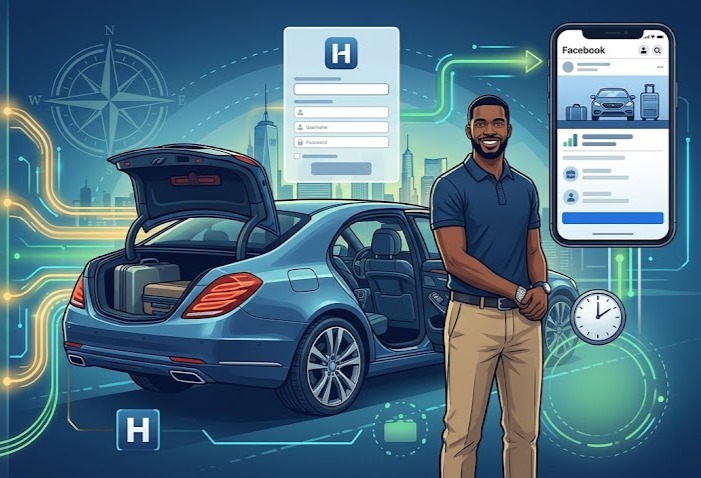
Facebook Marketplace is a goldmine for livery drivers because it’s where local people already go to find services. Unlike a standard post, a Marketplace listing stays searchable and acts like a local classified ad.
Here is a non-technical guide to setting up a high-performing “Driver for Hire” listing.
Step 1: The Lead Magnet Photo
People scroll fast. Your first photo should not be your car. It should be a professional photo of you next to your car.
- The main photo: You in a suit or professional attire, smiling, standing by the open door of your vehicle. This signals safety and luxury immediately.
- The gallery: Include 3 to 5 more photos:
- The clean interior. Back seat legroom is a big selling point.
- The trunk space. Show that it fits 3 or more large suitcases.
- A close-up of any amenities such as bottled water, chargers, or extras.
Step 2: Write a Search-Friendly Title
Do not just put “Driver.” Use the words people actually type into the search bar.
- Good: Private Chauffeur and Airport Transfers - [Your City/Area]
- Better: Professional Driver for JFK/EWR - Reliable Private Car Service
Step 3: The No-Brainer Description
In the description, focus on the pain versus pleasure. Use bullet points to make it readable.
- The hook: Tired of unpredictable Uber wait times or dirty cars? Book a guaranteed, professional ride.
- The services: List exactly what you do, such as airport runs, NYC trips, medical appointments, and weddings.
- The trust factor: Mention your years of experience and that you are an independent owner-operator.
- The call to action: Send a message with your date and pickup location for an instant quote.
Step 4: Pricing Strategy
Marketplace requires a price.
- The trick: Set the price to a common base rate such as $50, or set it to $1 and state in the first line: Rates vary by distance. Message for a custom quote.
- Note: Setting it to $1 often gets more clicks, but using a “Starting at $X” price can filter out lower-quality leads.
Step 5: Leverage the HytchUp Professionalism
When someone messages you on Facebook, do not just reply with a casual yes.
- The pro move: Reply with: I have availability. To give you an accurate quote and secure the slot, could you please fill out this quick request link?
- Why: Sending them to your HytchUp booking link moves the conversation from a casual chat to a professional booking.
Facebook Marketplace Checklist
| Element | Best Practice |
|---|---|
| Category | Select “Services” -> “Other” or “Automotive Services.” |
| Location | Set this to the wealthiest town in your 20-mile radius. |
| Renewing | Every 7 days, go to your listing and click “Renew” to push it back to the top. |
Facebook Marketplace Description Template
Here is a high-converting Facebook Marketplace description template. It is designed to look professional, build immediate trust, and drive users to your booking link.
Title: Professional Private Driver and Airport Transfers - [Your City/Area]
Description: Skip the stress of unpredictable ride-share apps. Whether you need a reliable ride to the airport or a dedicated chauffeur for the day, I provide a premium, punctual, and professional experience.
Why book with me?
- Guaranteed Punctuality: I arrive early so you are never waiting.
- Luxury and Comfort: Immaculate, smoke-free vehicle with ample luggage space.
- Professional Service: Experienced owner-operator dedicated to your safety and comfort.
- Fixed Pricing: No surge pricing or hidden fees.
Services Offered:
- Airport Transfers: JFK, EWR, LGA, PHL
- Corporate and Executive Travel
- NYC and City Trips
- Special Events and Weddings
- Medical Appointments
How to Book: I am currently accepting new clients. For an instant quote or to check availability for your specific date, please use my professional booking portal here:
Insert Your HytchUp Booking Link Here
Have a quick question? Feel free to send me a message.
Pro-Tips for Marketplace Success
- The First Line Rule: Facebook only shows the first 2 to 3 lines of a description before the See More button. Make sure your most important service, such as airport transfers, is in that first paragraph.
- Emoji usage: Use emojis sparingly to break up text. It makes the ad feel friendlier instead of looking like a wall of text.
- Tagging: Use the Tags section in Marketplace to add keywords like Limo, Car Service, Airport Shuttle, Uber Alternative, Chauffeur, and Transport.